![Logo Jobtoolz - White.svg]](https://help.jobtoolz.com/hubfs/Logo%20Jobtoolz%20-%20White.svg)
Note: configure the correct final stage
To set the start date, you must tick the option ‘Activate onboarding process at this stage’ for the final stage. You can choose the name of this stage yourself, for example, ‘Hired’ or ‘Employment start’.
Want to know how to add or edit a stage? Find out how to add or edit a stage for a job vacancy.
You can enter the start date in two ways:
-
When you move a candidate to ‘Hired’.
- Open the candidate profile of the relevant candidate.
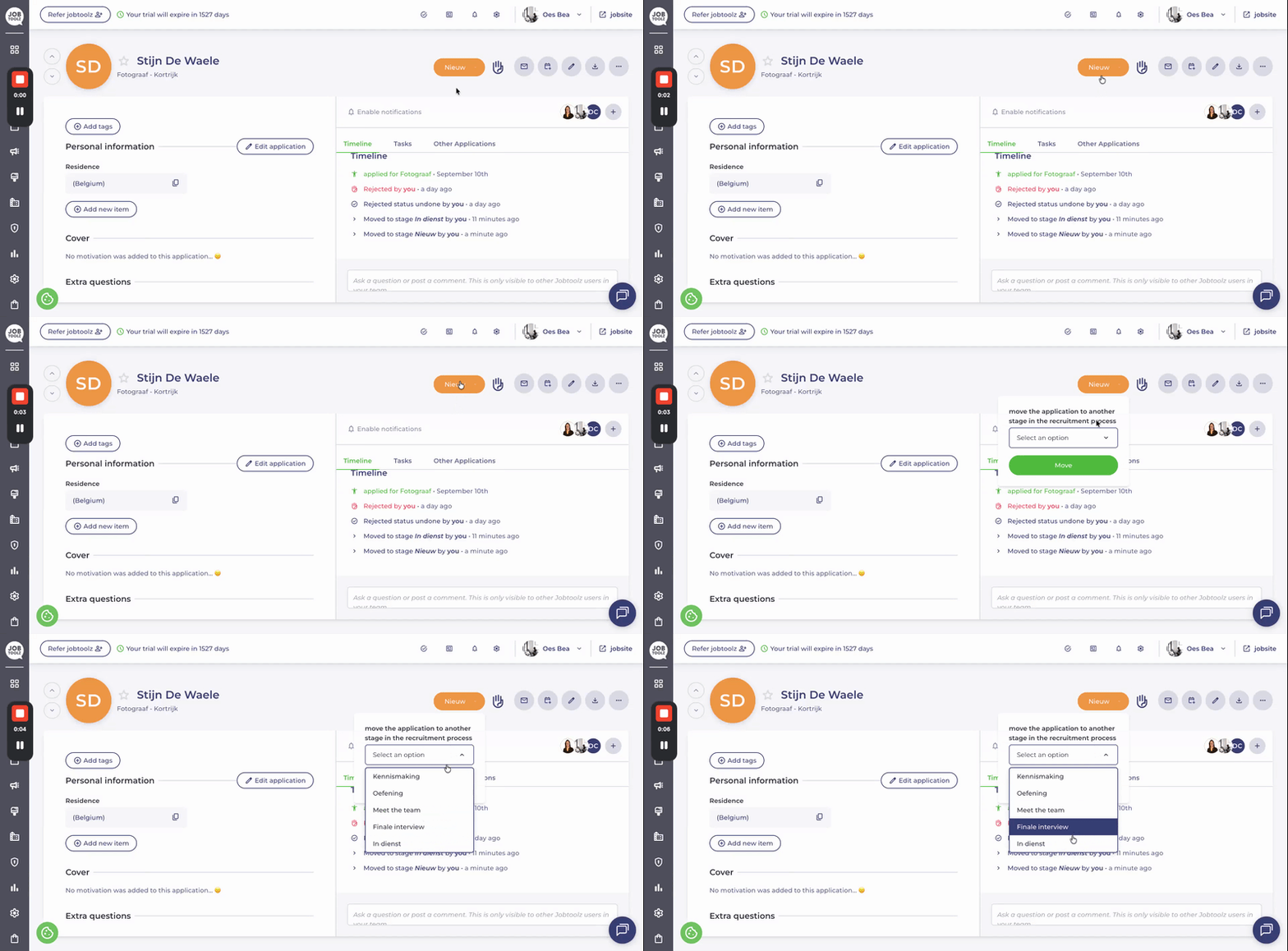
- In the top-right corner, change the stage to the final stage (in this case, ‘Hired’).
- An additional window will appear where you can enter the employment start date.
The selected date will then be displayed in the candidate’s information.
- Want to change the start date later? You can do that too!
-
-
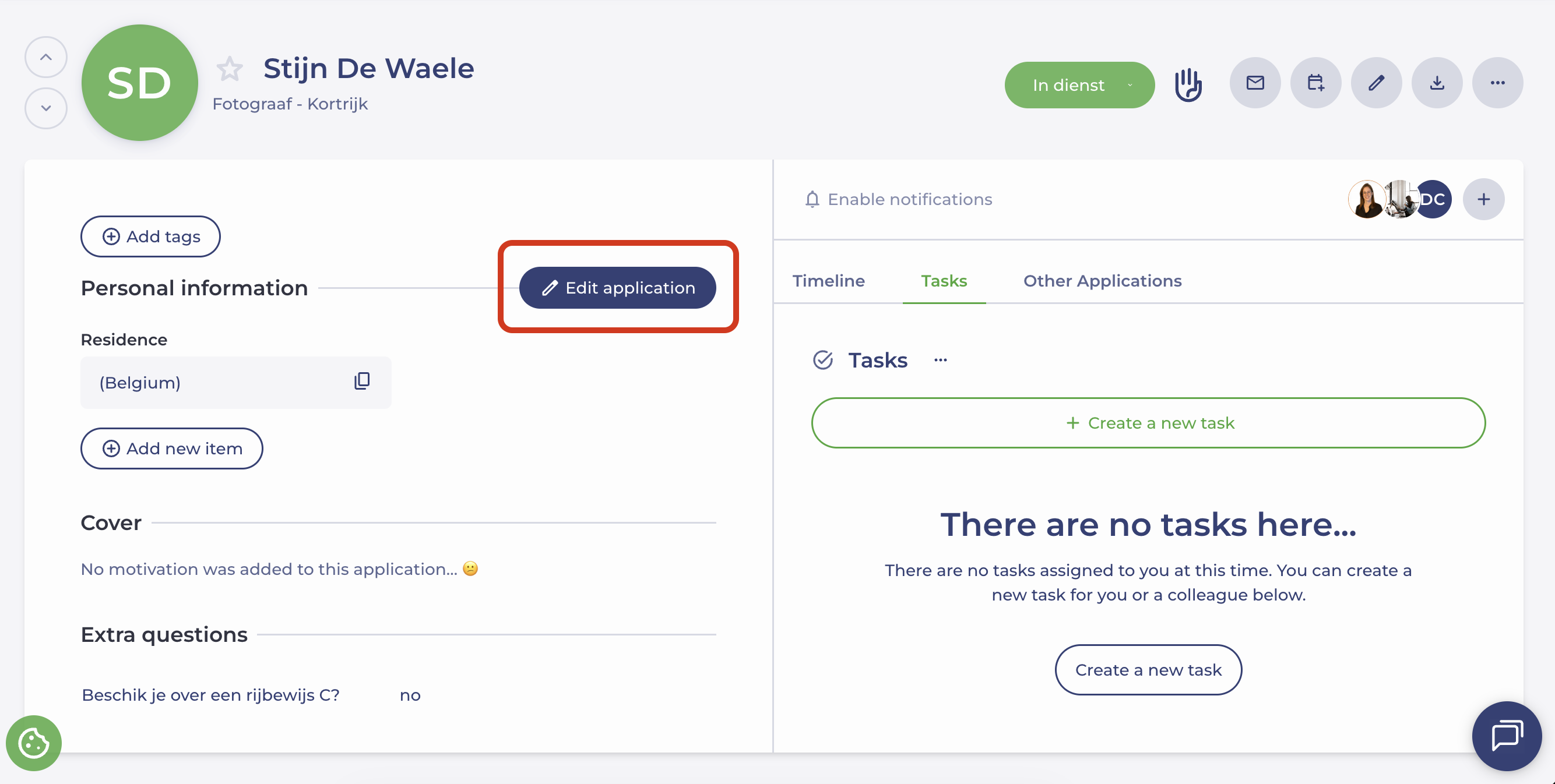
Open the candidate profile and go to ‘Candidate information’.
- Click ‘Edit application’.
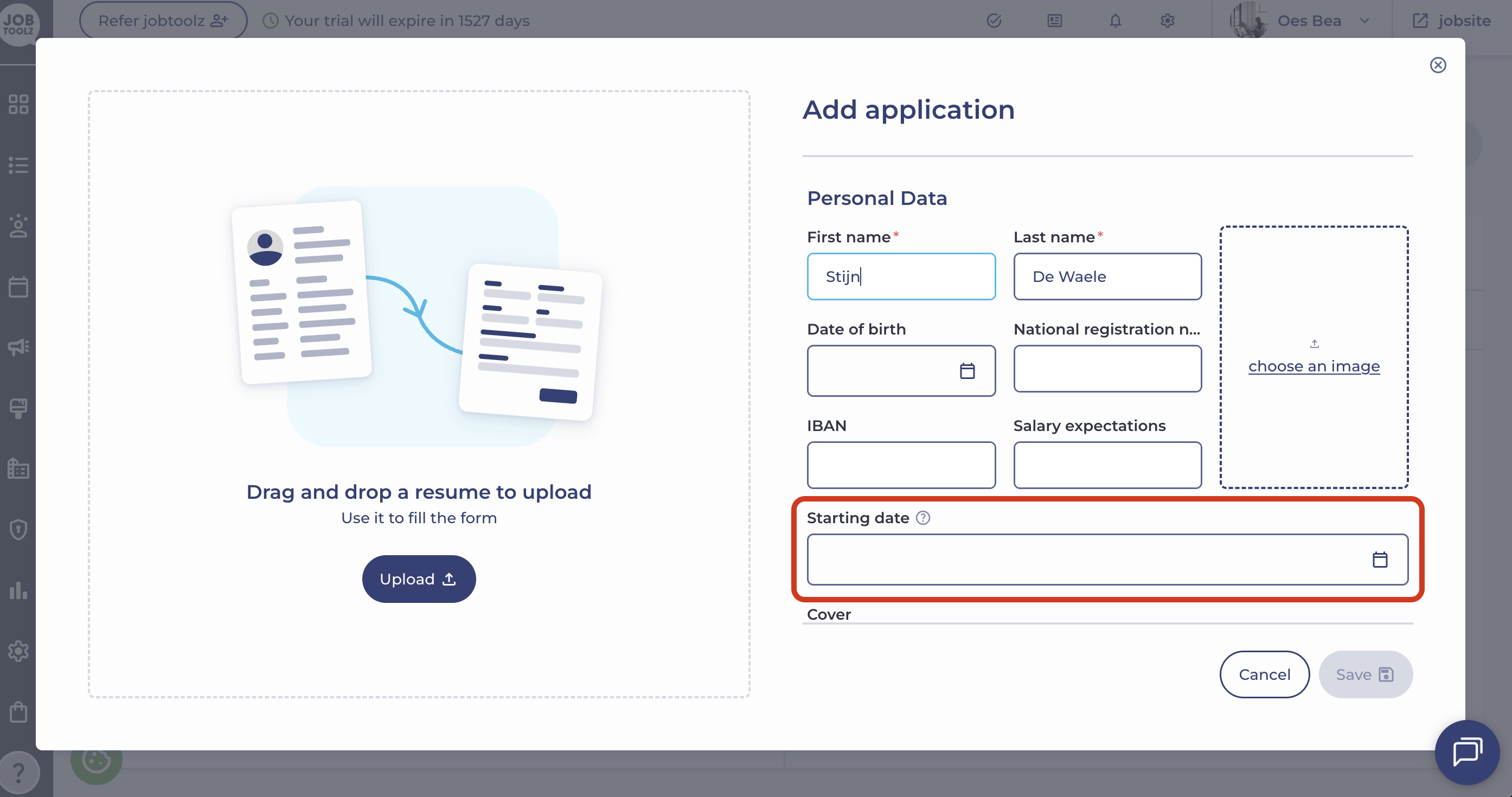
- Enter the start date or update the existing date.
-
This way, you can easily keep track of your candidates’ start dates in Jobtoolz! 🚀