-
Employer Branding
-
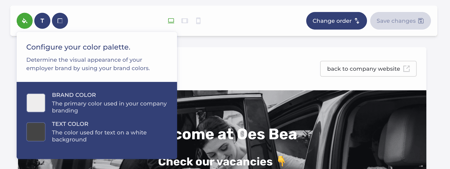
Configure your colour palette.
-
Select a font for headings and body text
-
Increase or decrease the corner radius of specific elements.
-
-
Vacancies
-
Step 1 – Description
-
Title
Make sure the URL always matches the title of your vacancy. You can do this by clicking the paperclip icon to update the URL to match the vacancy title.
-
Motivation for creating the vacancy (optional)
-
Location
-
Contract type
-
Employment status
-
Desired experience
-
Reference number (optional)
-
Working hours arrangement
-
Job type
-
Hours per week
-
Vacancy image
-
Job description
-
Metadata for social media and search engines
-
-
Step 2 – Application Form
Specify which fields applicants must complete to apply, and indicate which fields are mandatory or optional. -
Step 3 – Recruitment Process
Define the stages candidates must go through to join your organisation.
- Step 4 – Publish
A vacancy must be published to be visible on your employer branding page.
-
English
![Logo Jobtoolz - White.svg]](https://help.jobtoolz.com/hubfs/Logo%20Jobtoolz%20-%20White.svg)